Table of Contents
What to Look for in Marketing Management Software
Quick Comparison: Best Marketing Management Software
10 Best Marketing Management Software Platforms (Ranked and Reviewed)
How to Choose the Right Marketing Management Software
Software Manages the Work. Cleverly Books the Meetings Behind It.
Conclusion
Frequently Asked Questions
Modified On :
October 9, 2026
Key Takeaways
- The right marketing management software depends on your bottleneck. Task execution, resource capacity, and content calendaring are three different problems, and most platforms only solve one really well.
- Cross-functional visibility matters more than feature count. A tool your design, content, and sales enablement teams can all actually use beats a powerful tool only marketing ops understands.
- Resource capacity planning becomes a real requirement once your team is juggling more campaigns than people. Below that threshold, lighter task management tools do the job fine.
- Free tiers and low entry prices are useful for testing fit, but the real cost shows up in seat minimums, contact tiers, and add-ons that don't appear on the pricing page headline.
- Software organizes the campaign work. It doesn't generate the pipeline that campaign is supposed to produce, which is where most marketing teams still have a gap.
Your content calendar lives in one tool. Approvals happen over email. Resource capacity is a mental math problem your ops lead does every Monday. This is how most marketing teams still operate, and it works right up until it doesn't.
The pressure to fix this has shown up in the data. Project portfolio management tools have been shown to lift team efficiency by roughly 45% and cut wasted effort by around 20% when properly adopted, according to research on marketing project management platforms.
Marketing organizations increasingly rely on project management software, treating it as an investment rather than an expense to navigate the complexities of modern marketing campaigns.
That shift is showing up everywhere: marketing management software in 2026 goes well past task lists, with resource capacity planning, budget tracking, and campaign-level reporting now standard expectations rather than premium add-ons.
This guide ranks and reviews some of the best marketing campaign management software platforms on the market right now, covering software for marketing management built for everything from lean content teams to enterprise creative operations.
If you're a marketing ops lead, a campaign manager, or a team lead evaluating your stack, this is built for you.

What to Look for in Marketing Management Software
Before you start comparing tools, get clear on what you're actually trying to fix. Most teams jump straight to feature comparisons and end up buying more platform than they need, or less than they'll need in six months.
1. Start with your core needs. Are you struggling with task and project execution, resource capacity planning across a stretched team, or coordinating a content and campaign calendar? These are three different jobs, and the platforms below are genuinely better at one than the others.
2. Look at approval workflows. If your creative team ships a lot of assets that need sign-off from stakeholders, visual proofing and structured approval chains matter more than almost any other feature on the list.
3. Check resource allocation depth. If you're running multiple campaigns with a fixed headcount, you need real capacity tracking, not just a task list with due dates. This is where lighter tools start to show their limits. An employee monitoring software adds visibility into how team hours are actually being used across campaigns.
4. Confirm integrations with your existing stack. A marketing team management software platform that doesn't talk to your CRM or analytics tools just creates a second source of truth you have to maintain by hand.
5. Model the pricing at your actual team size. Per-seat pricing looks simple until you hit a seat minimum, a contact tier cliff, or an add-on that wasn't on the pricing page. We've flagged these below where they exist.
🚀 Manage Better. Grow Faster.
The right tools organize your marketing. Our LinkedIn, cold email, and cold calling campaigns help turn that strategy into 15–30 qualified meetings every month.
Quick Comparison: Best Marketing Management Software
10 Best Marketing Management Software Platforms (Ranked and Reviewed)
Each platform below is reviewed on what it's Best For, its Key Features, its Limitations, and current Pricing.
1) Asana — Best for Cross-Functional Campaign Management
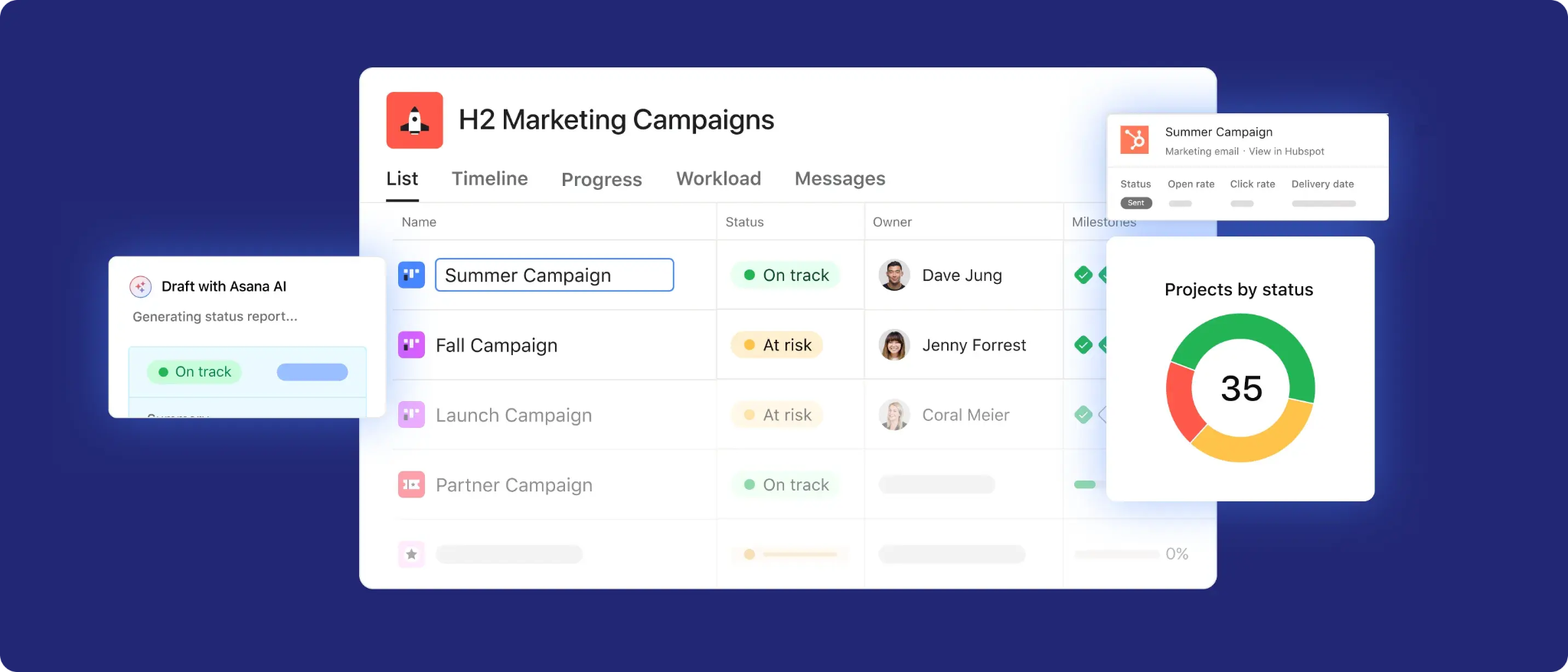
Asana remains one of the most widely adopted tools for marketing teams that need visibility across departments. It's built around flexible project views, so a campaign that touches design, content, and sales enablement can live in one place without forcing every team into the same workflow. For marketing management software buyers who need cross-team transparency without a steep learning curve, Asana is usually the first name that comes up, and for good reason.
Best For: Marketing teams coordinating campaigns across multiple departments (design, content, sales enablement)
Key Features:
- Flexible project views (list, board, timeline) suited to varied campaign structures.
- Strong cross-team visibility for campaigns spanning multiple stakeholders.
- Broad integration ecosystem with common marketing and productivity tools.
- AI Teammates and smart workflow features rolling out through late 2025 and 2026.
Limitations:
- Resource capacity planning is noticeably lighter than dedicated platforms like Kantata.
- Requires setup discipline to avoid becoming cluttered with too many project types.
- Advanced security and compliance controls are locked behind Enterprise pricing.
Pricing: Free Personal plan for individuals and small teams. Starter is $10.99/user/month billed annually ($13.49 billed monthly). Advanced is $24.99/user/month billed annually ($30.49 billed monthly). Enterprise and Enterprise+ are custom quoted.
2) ClickUp — Best All-in-One Value
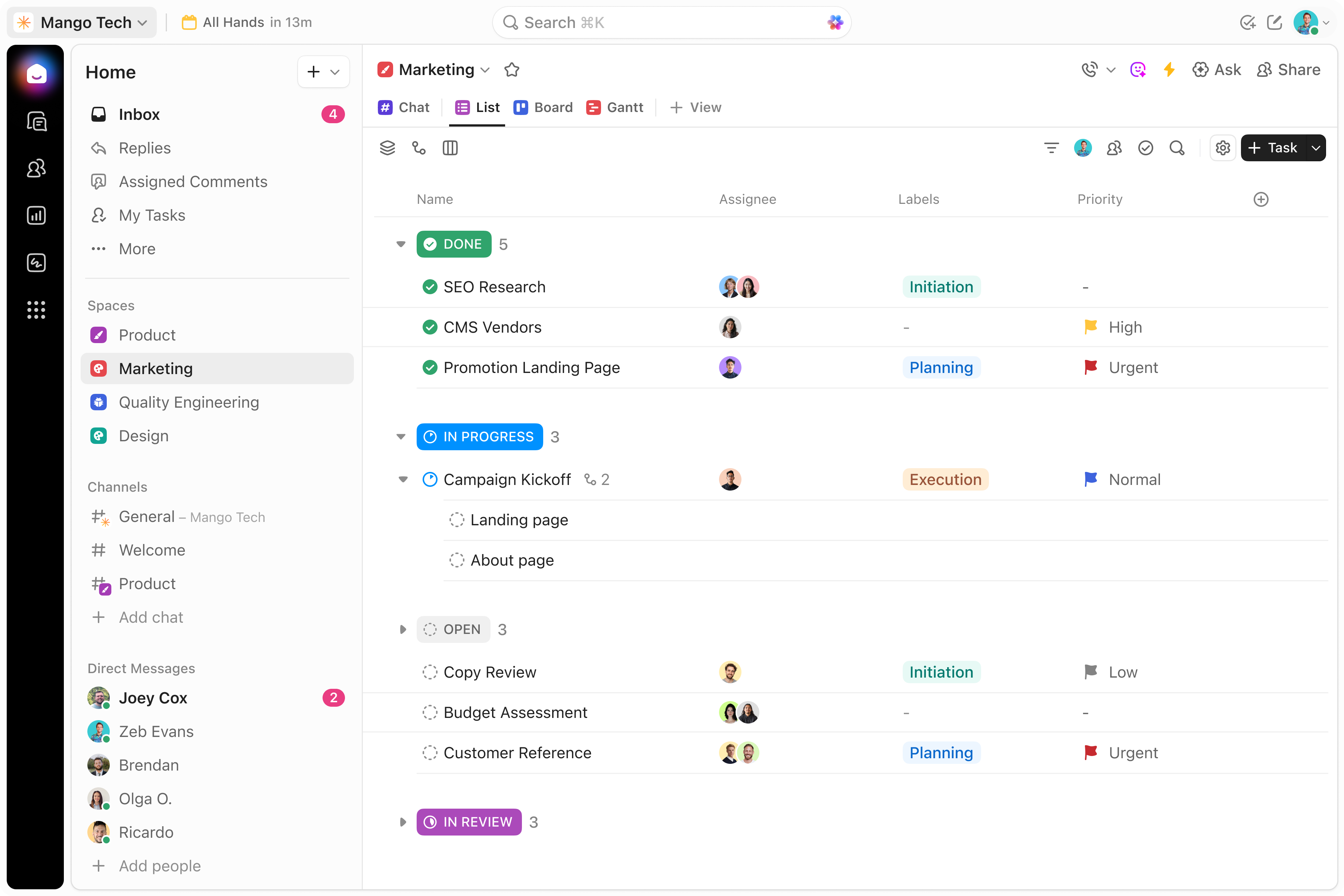
ClickUp packs task management, docs, goals, and dashboards into one platform at a price point that undercuts most of its competitors. For growing marketing teams that want broad functionality without an enterprise price tag, it's genuinely one of the better value plays in this category. The tradeoff is that its depth requires deliberate setup, and it's easy for a workspace to become cluttered if you don't build structure early.
Best For: Growing marketing teams wanting broad functionality without an enterprise price tag.
Key Features:
- Combines task management, docs, goals, and dashboards in one platform.
- Highly customizable views and automation at a relatively low entry price.
- Free tier available for smaller teams testing the platform.
- ClickUp Brain AI assistant available as an add-on for task summaries and drafting.
Limitations:
- Feature breadth means a steeper learning curve to configure effectively.
- Business Plus tier has been pulled from ClickUp's public pricing page, so you'll need to ask sales directly.
- AI features are billed separately and can add meaningfully to per-seat cost.
Pricing: Free plan available. Unlimited is $7/user/month billed annually (about $10 billed monthly). Business is $12/user/month billed annually (about $19 billed monthly). Enterprise is custom quoted. ClickUp Brain AI adds roughly $7 to $9/user/month on top of any paid plan.
3) Wrike — Best for Creative Approvals at Scale
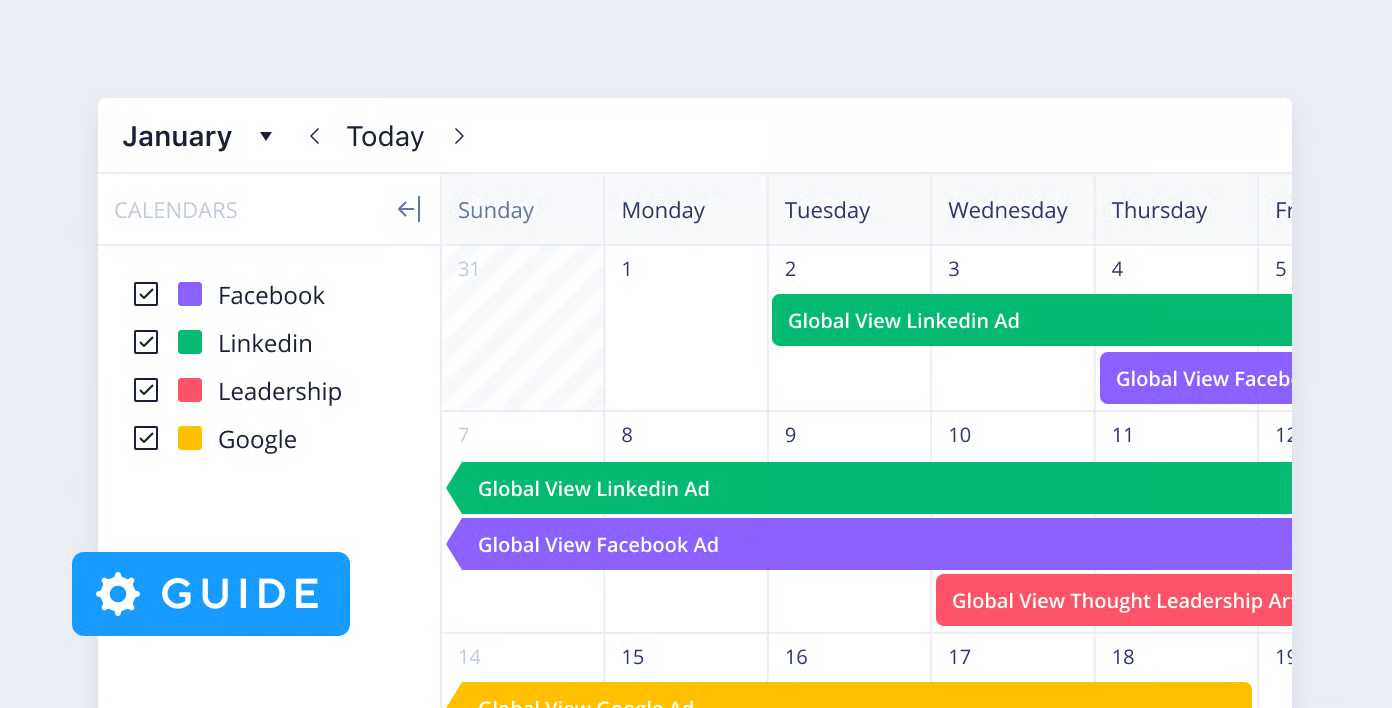
Wrike earns its spot for teams managing high volumes of creative assets that need structured review cycles. Its visual proofing tools were built specifically for creative approval workflows, which makes it a strong fit for marketing teams that spend real time chasing sign-offs across stakeholders. It's meaningfully more expensive than lighter tools like ClickUp at comparable team sizes, so it makes the most sense once approval volume is the actual bottleneck.
Best For: Marketing teams managing high volumes of creative assets requiring structured review and approval.
Key Features:
- Visual proofing tools built specifically for creative approval workflows.
- Time and expense tracking alongside task and project management.
- Resource management and allocation features for balancing team capacity.
- AI Essentials on the Team plan for onboarding assistance and comment summarization.
Limitations:
- Meaningfully more expensive than lighter alternatives at comparable team sizes.
- Business plan carries a 5-seat minimum, which raises the effective floor price.
- Licenses are sold in fixed user bands, so a 6-person team pays for 10 seats.
Pricing: Free plan available. Team is $10/user/month billed annually, capped at 2 to 15 users. Business is $25/user/month billed annually (5-seat minimum), supporting 5 to 200 users. Pinnacle and Apex are custom quoted through sales.
4) Adobe Workfront — Best for Enterprise Marketing Workflow
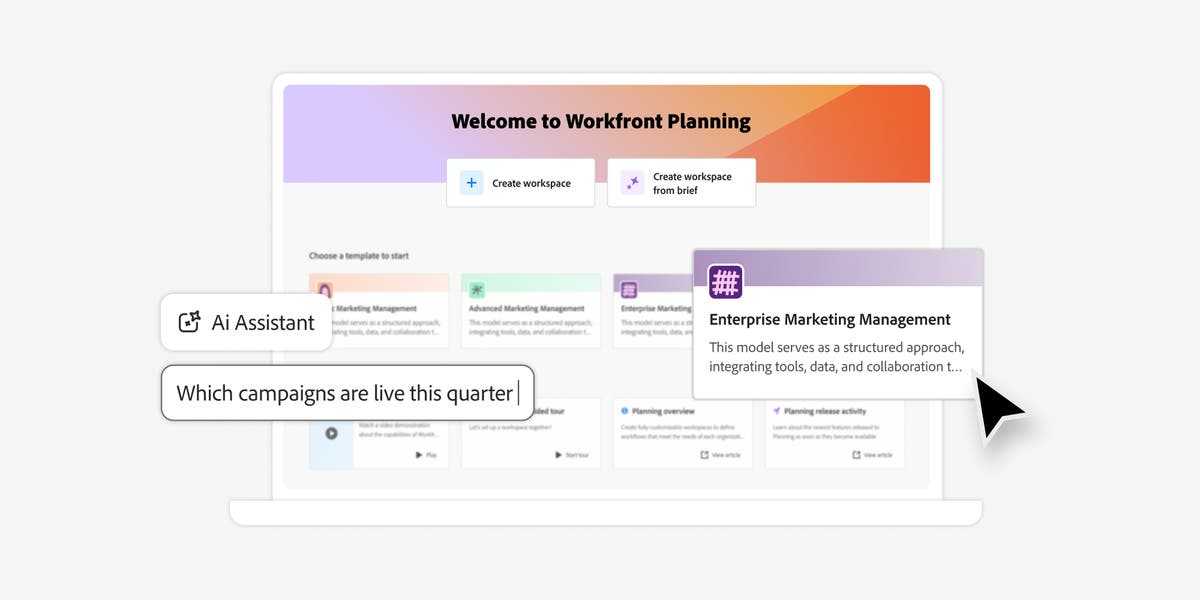
Adobe Workfront is built for large marketing organizations that need enterprise-grade governance and approval structures, particularly if you're already invested in the Adobe ecosystem. It's one of the deepest platforms on this list for complex approval chains and portfolio-level planning, but that depth comes with real administrative overhead and pricing that puts it out of reach for smaller teams.
Best For: Large marketing organizations needing enterprise-grade workflow, governance, and approval structures.
Key Features:
- Deep enterprise workflow and governance capabilities suited to complex approval chains.
- Strong fit for marketing orgs already embedded in the Adobe Creative Cloud ecosystem.
- Scales to support large, multi-team marketing operations across regions.
- Workfront Fusion for automation and integration with other business systems.
Limitations:
- Enterprise pricing and complexity put it out of reach for smaller marketing teams.
- Requires more setup and administration than lighter project management tools.
- No published pricing, which makes early-stage budgeting harder.
Pricing: Custom quote across three tiers (Select, Prime, Ultimate), priced per user per month based on organization size and add-ons.
5) Kantata — Best for Resource Capacity Planning
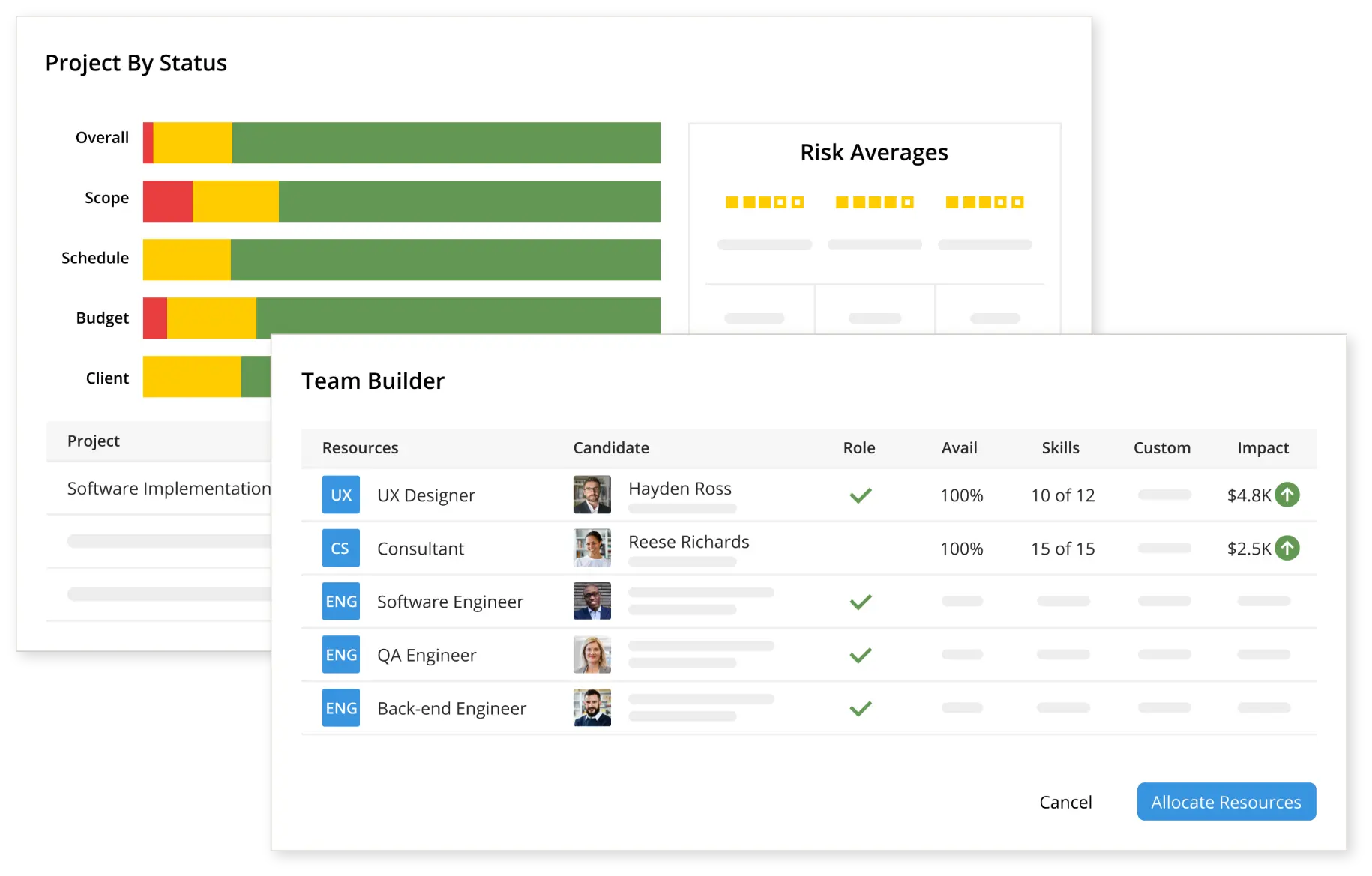
Kantata is purpose-built for teams and professional services organizations with genuinely complex resourcing needs, going far deeper than most project management tools on capacity planning, skills matching, and utilization tracking. If resourcing is your actual pain point rather than task tracking, Kantata is worth the evaluation call, though it comes with custom pricing and no published starting rate.
Best For: Marketing teams and professional services organizations with complex resourcing needs.
Key Features:
- Deep capacity planning, skills matching, and resource utilization tracking.
- Built specifically for teams balancing workload against available team bandwidth.
- Strong fit for organizations tracking profitability alongside resourcing.
- Available as Kantata SX for organizations running Salesforce natively.
Limitations:
- No published pricing; every quote requires a sales conversation.
- More resourcing-focused than lighter teams without complex capacity needs require.
- Tiered pricing can include additional costs for customization and support.
Pricing: Custom quote only, priced per user based on team size, usage, contract length, and integrations.
6) SmartSuite — Best Personalized, Automated Workspace
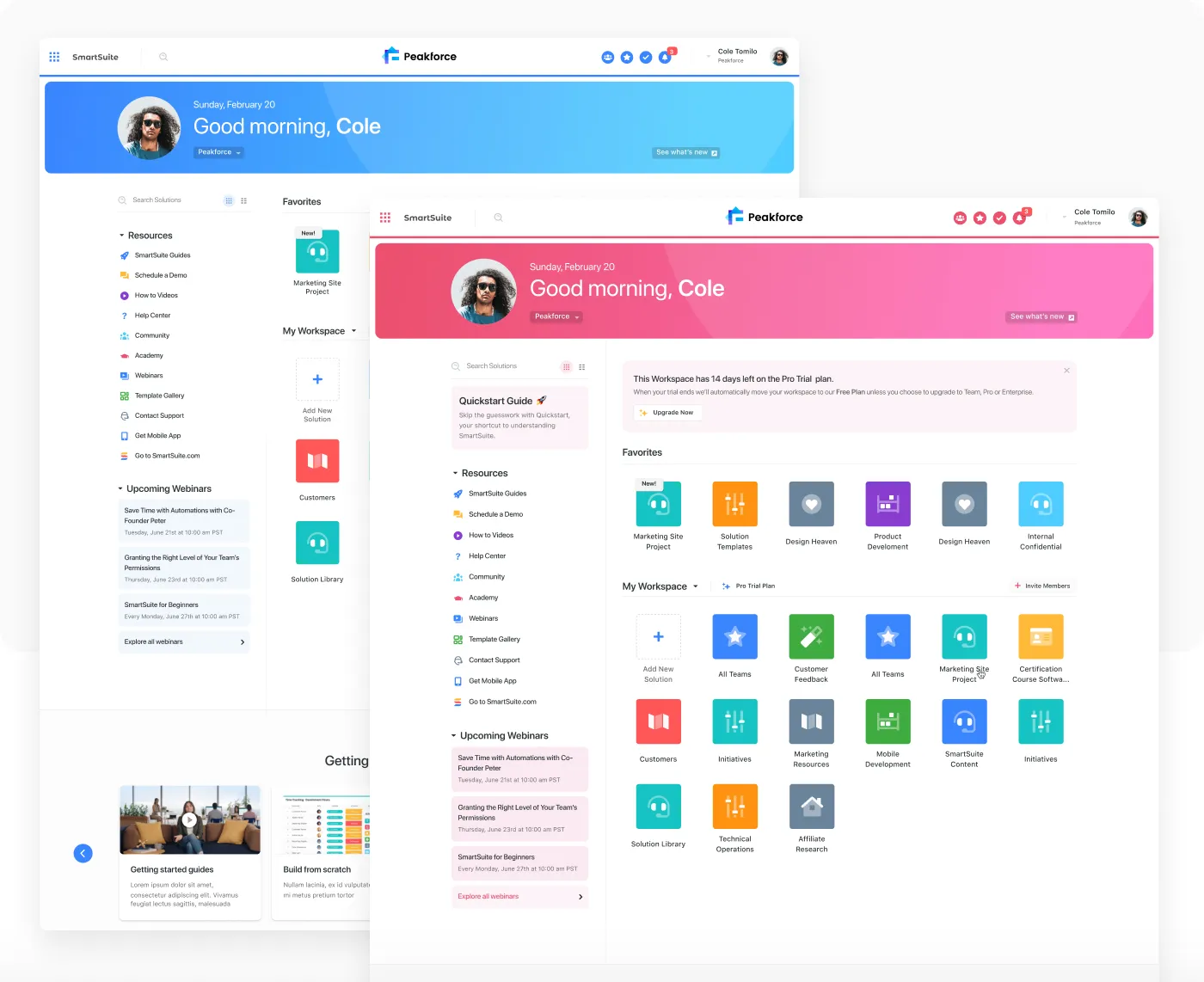
SmartSuite offers a highly customizable workspace that blends database-style flexibility with built-in automation, making it a solid option for marketing teams that want to design their own workflow rather than adopt a fixed template. One important note for 2026: SmartSuite retired its permanent free plan for new signups, so evaluating the platform now means working through a 14-day Professional trial rather than a forever-free tier.
Best For: Marketing teams wanting a customizable workspace combining automation with project tracking.
Key Features:
- Personalized workspace setup adaptable to varied marketing workflows.
- Built-in automation to reduce repetitive manual task management.
- Supports projects of varying size and complexity within one platform.
- Over 200 workflow templates to speed up setup.
Limitations:
- No permanent free plan for new signups as of 2026; only a 14-day trial is available.
- Every paid plan carries a minimum billed seat count (3 on Team, 5 on Professional, 10 on Enterprise).
- Less established track record than longer-standing platforms like Asana or Wrike.
Pricing: Team is $15/user/month billed annually ($20 billed monthly, 3-seat minimum). Professional is $30/user/month billed annually ($34 billed monthly, 5-seat minimum). Enterprise is $45/user/month billed annually ($50 billed monthly, 10-seat minimum). Signature is custom quoted.
7) CoSchedule — Best for Marketing Calendar and Content Planning
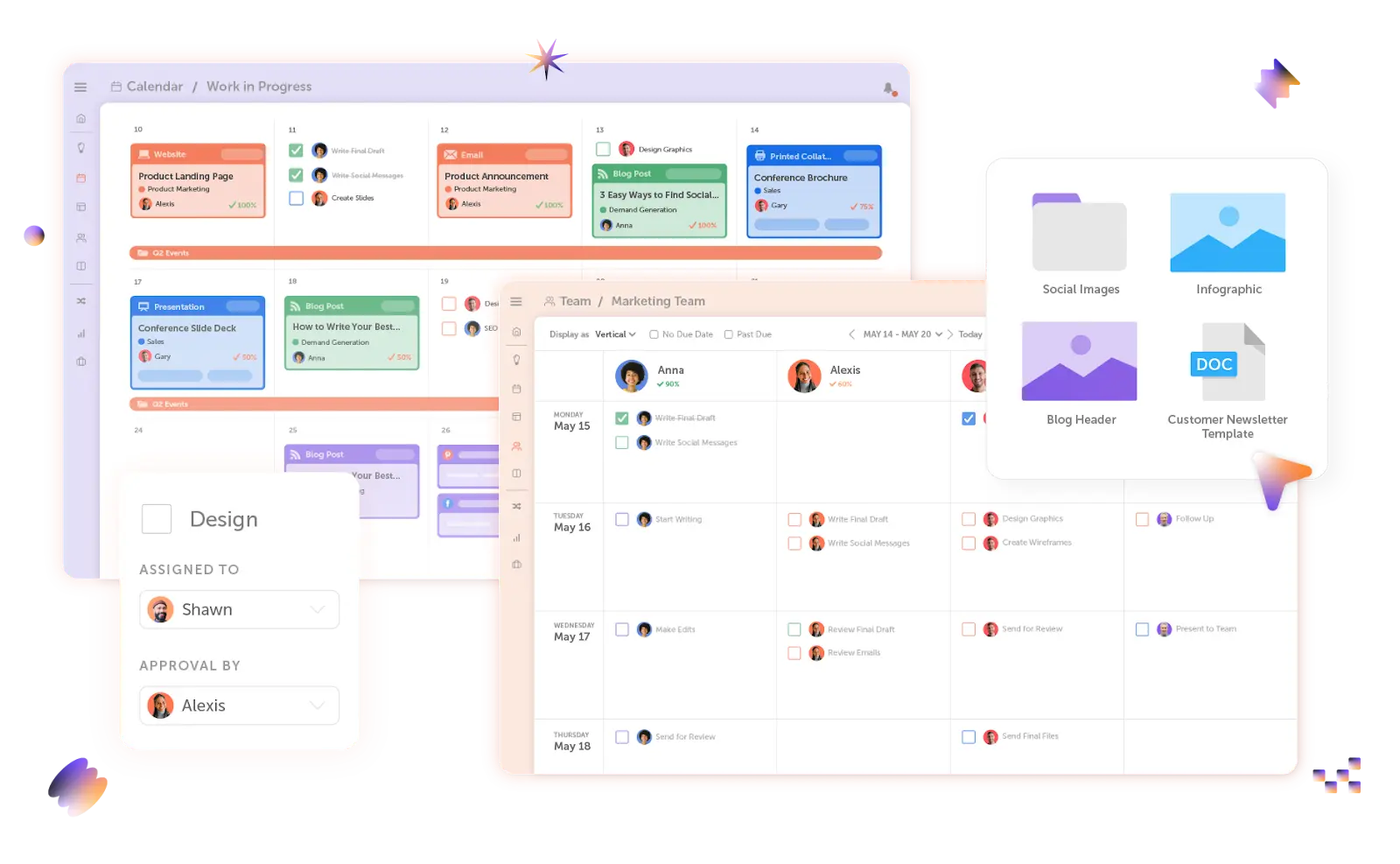
CoSchedule is purpose-built around the marketing calendar rather than general task management, which makes it a strong fit for content-heavy teams coordinating publishing schedules across channels. It runs two separate product lines, a Social Calendar and a Marketing Suite, which can be a little confusing to evaluate side by side, but the calendar-first approach is exactly what content teams need.
Best For: Marketing teams centered around content publishing and campaign calendar coordination.
Key Features:
- Purpose-built marketing calendar for planning and visualizing campaigns and content across channels.
- Templates for common marketing tasks and campaign types.
- Headline Analyzer for optimizing content performance.
- Strong fit for content-heavy teams over broad cross-functional project management.
Limitations:
- Less suited to complex resource capacity planning than dedicated platforms.
- Two separate product lines (Social Calendar vs. Marketing Suite) can be confusing to evaluate.
- No native AI content generation beyond the Headline Analyzer.
Pricing: Free Calendar plan for 1 user. Social Calendar is $19/user/month billed annually. Agency Calendar is $59/user/month billed annually. Content Calendar and Marketing Suite are custom quoted, generally starting in the $190 to $750+ per month range depending on team size.
8) Airtable — Best for Flexible, Database-Style Campaign Tracking
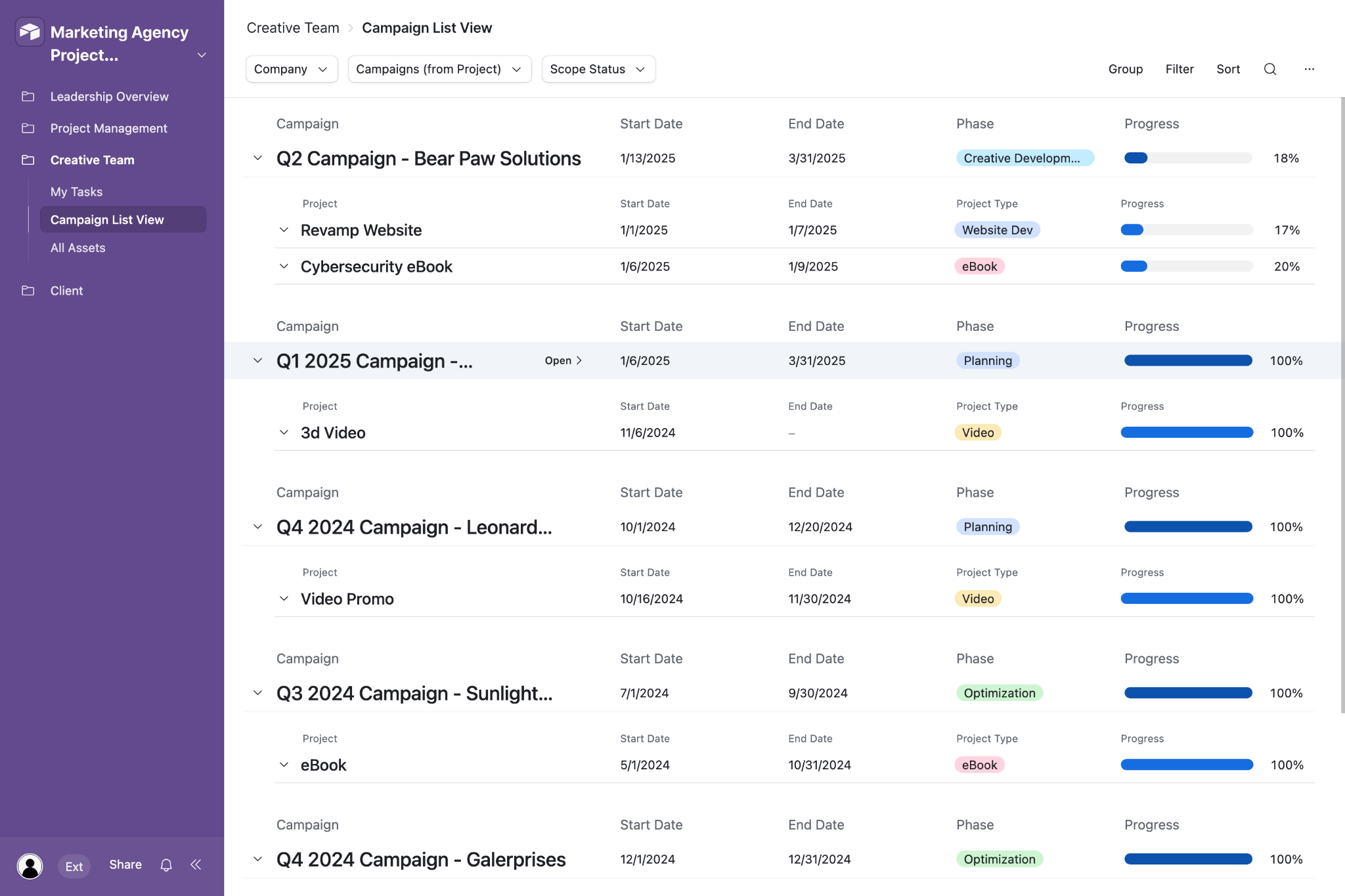
Airtable's spreadsheet-like flexibility makes it a favorite for marketing teams that want to build their own campaign trackers and content pipelines rather than adopt a rigid template. It's less purpose-built for marketing specifically than dedicated tools on this list, so expect more manual setup time. Worth flagging: Airtable agreed to an acquisition by Bending Spoons in August 2026, which is still pending regulatory approval, so current pricing may not hold long term.
Best For: Marketing teams wanting a flexible, spreadsheet-like structure for tracking campaigns and content.
Key Features:
- Database-style flexibility for building custom campaign trackers and content pipelines.
- Strong for teams wanting to build their own workflow structure rather than adopting a fixed template.
- Free tier available for smaller-scale use.
- Bundled AI credits for auto-summaries, sentiment analysis, and AI-powered automations.
Limitations:
- Less purpose-built for marketing specifically than dedicated marketing management tools.
- Billing is per editor, so anyone with edit access on even one base counts as a paid seat.
- Pending acquisition by Bending Spoons (announced August 2026) introduces pricing uncertainty going forward.
Pricing: Free plan available (up to 5 editors, 1,000 records per base). Team is $20/user/month billed annually ($24 billed monthly). Business is $45/user/month billed annually ($54 billed monthly). Enterprise Scale is custom quoted.
9) Trello — Best for Lean Content Teams
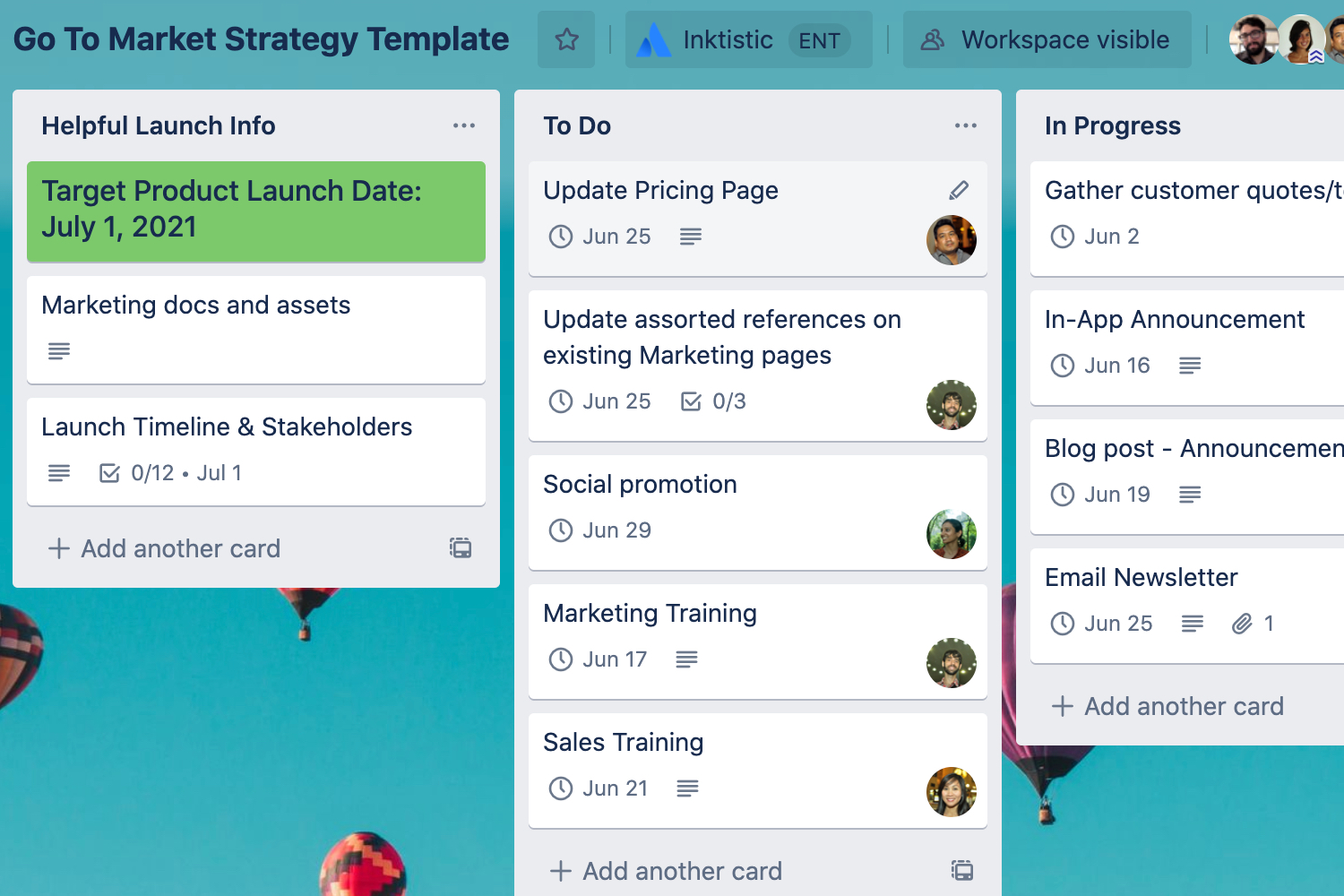
Trello is still the fastest way for a small or lean content team to get organized without a learning curve. Its card-based board structure is intuitive, and the free plan is genuinely usable rather than a crippled trial. It starts to strain once campaigns get more complex or cross-functional, which is where the lack of deeper reporting and resource management shows.
Best For: Small or lean marketing/content teams wanting simple, visual task management.
Key Features:
- Simple, card-based board structure that's fast to set up and easy to adopt.
- Free plan suitable for small teams with straightforward workflows.
- Multiple board views (Calendar, Timeline, Table, Dashboard, Map) on the Premium plan.
- Atlassian Intelligence AI assistant available on Premium and above.
Limitations:
- Lacks deeper resource management, reporting, and approval workflows larger teams need.
- Free plan capped at 10 boards and 10 workspace collaborators.
- Can become difficult to manage at scale with more complex, cross-functional campaigns.
Pricing: Free plan available. Standard is $5/user/month billed annually ($6 billed monthly). Premium is $10/user/month billed annually ($12.50 billed monthly). Enterprise is $17.50/user/month billed annually, generally aimed at organizations with 50+ seats.
10) HubSpot Marketing Hub — Best for Campaign Management Tied to CRM Data
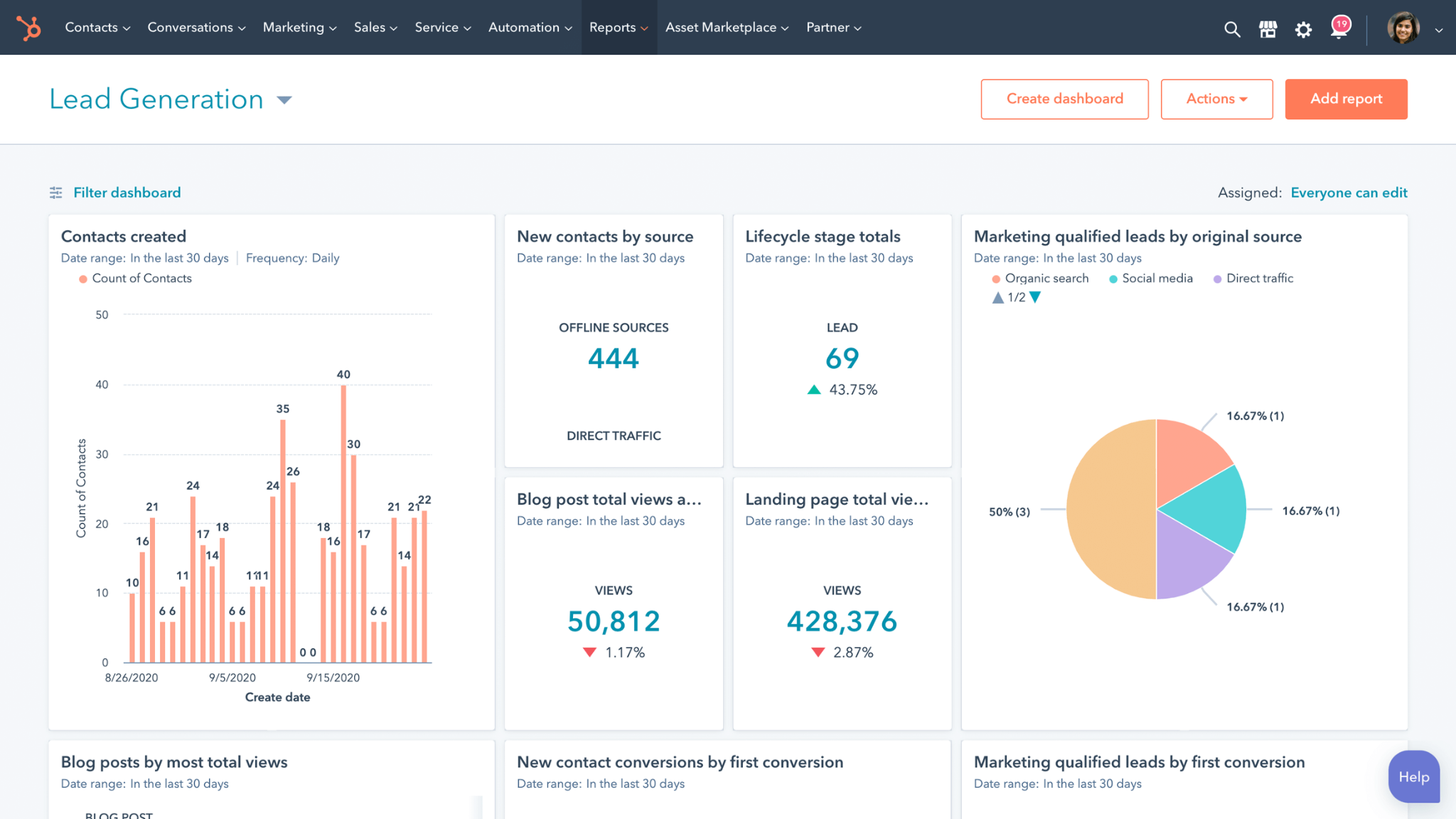
HubSpot Marketing Hub's biggest advantage is that campaign planning lives natively inside your CRM and contact data, which removes the need for a separate tool to connect campaign performance back to pipeline. The catch is the pricing cliff between Starter and Professional, which is one of the steepest jumps in this category and worth budgeting for early if you know you'll need automation and custom reporting.
Best For: Marketing teams wanting campaign management directly connected to CRM and contact data.
Key Features:
- Campaign planning and execution tied natively to HubSpot's CRM and contact records.
- Reduces the need for a separate tool to connect campaign performance to pipeline data.
- Free CRM tools included at every tier.
- Multichannel automation workflows spanning email, social, ads, and website on Professional and above.
Limitations:
- Full value requires being on or adopting the broader HubSpot ecosystem.
- Steep price jump from Starter to Professional, plus mandatory onboarding fees at Professional and Enterprise.
- Less specialized for pure project or resource management than dedicated platforms.
Pricing: Free CRM and marketing tools available. Starter is roughly $15 to $20/seat/month billed annually, including 1,000 marketing contacts. Professional starts around $890/month (2,000 contacts, 3 core seats), plus a mandatory $3,000 onboarding fee in year one. Enterprise starts around $3,600/month (10,000 contacts, 5 core seats), plus an onboarding fee.
📈 Turn Marketing Into Pipeline
With 53,000+ meetings booked and $312M+ in pipeline generated, Cleverly helps 10,000+ businesses turn smarter marketing and outbound into predictable growth.
How to Choose the Right Marketing Management Software
The honest answer depends on where your team actually struggles, not which tool has the longest feature list.
If you're a small or lean team with simple workflows, Trello or ClickUp's free tier cover the basics without unnecessary complexity. You don't need resource capacity planning if you don't have a resourcing problem yet.
If you're running cross-functional campaigns needing broad visibility, Asana fits most mid-size marketing teams well. It's the platform most non-marketing stakeholders will already have some familiarity with.
If heavy creative approval volume is your bottleneck, Wrike's proofing tools are built specifically for that workflow and will save real hours compared to email-based sign-off chains.
If you're managing complex resourcing and capacity planning across a stretched team, Kantata or Adobe Workfront are worth the sales conversation, even with unpublished pricing.
If your work is content and calendar-first, CoSchedule or Airtable fit planning-heavy teams that don't have complex resourcing needs to solve for.
Software Manages the Work. Cleverly Books the Meetings Behind It.

These platforms keep campaigns organized and shipped on schedule, but marketing teams are still ultimately measured on pipeline and meetings generated, not just campaigns that hit their deadlines. A perfectly run content calendar doesn't fill a sales team's schedule on its own.
That's the gap we work in at Cleverly.
As a B2B lead generation agency, we run LinkedIn, cold email, and cold calling outreach that books qualified meetings directly for marketing and sales teams, working alongside whatever project management or campaign software is already running the execution side. Rather than adding another dashboard to check, we plug into the pipeline conversation your leadership is actually asking about.
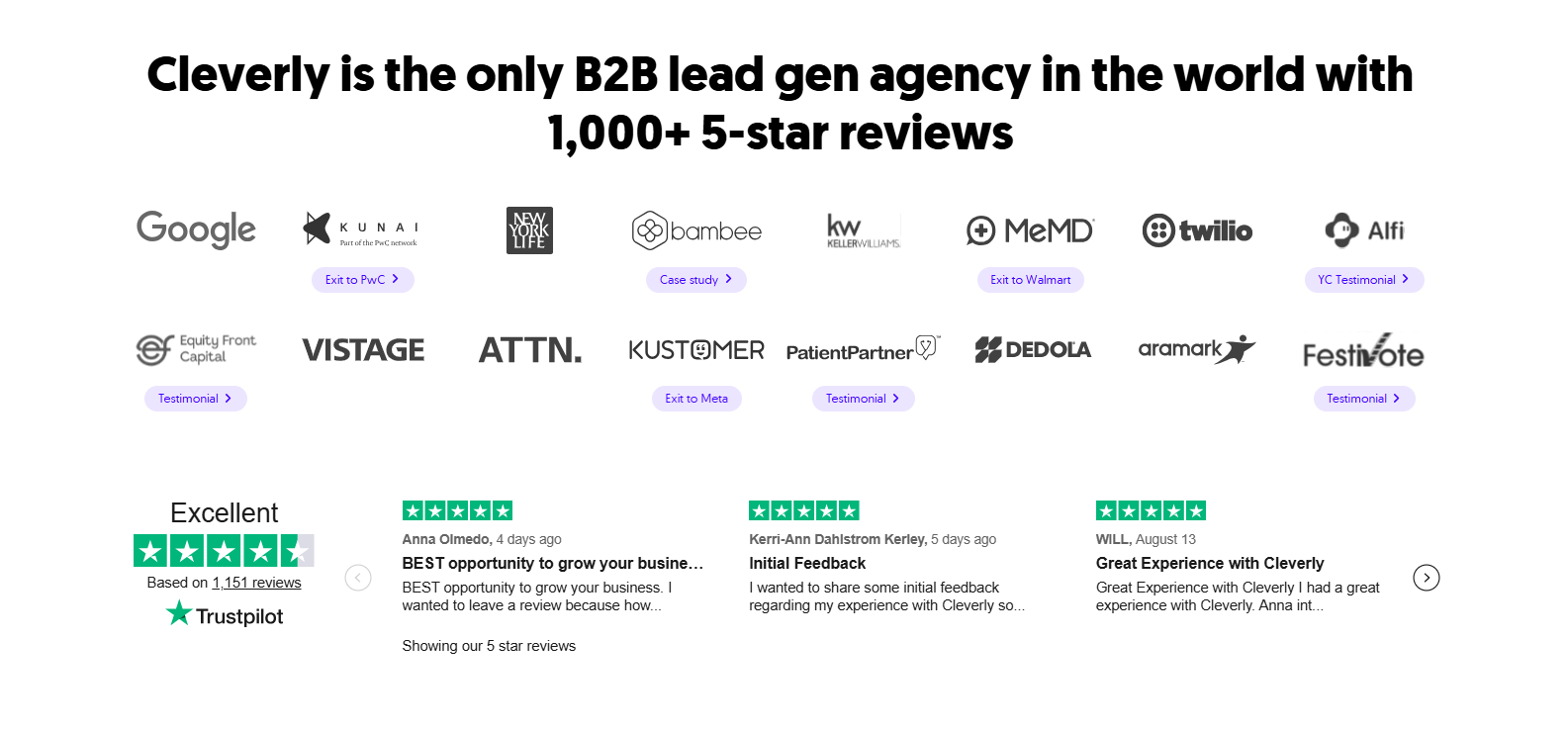
Our clients see this play out at scale. Cleverly has generated more than $312 million in pipeline and over $51.2 million in closed revenue for clients through LinkedIn, cold email, and cold calling outreach, working with companies like Amazon, Google, Uber, and PayPal.
A perfectly organized marketing operation still needs a consistent source of qualified meetings to show for it, and that's a different function than the one your project management software is built to solve.
If your campaigns are well-managed but the meeting count on the calendar doesn't reflect that effort, book a free consultation with Cleverly to talk through what a dedicated outbound motion could add on top of what you already have running.
Conclusion
There isn't one best marketing management software platform, there's a best fit for your team's size and complexity. Lean content teams and large cross-functional marketing orgs need genuinely different tools, and resource capacity planning only becomes a real requirement once your team has outgrown simple task tracking.
Free tiers make it easy to test a platform before committing to a paid, team-wide rollout, so use them before you sign an annual contract. But whichever platform you land on, remember what it can't do for you: marketing management software keeps campaigns organized and on track, but pipeline still depends on a consistent lead generation motion running alongside it.
Frequently Asked Questions
Free Resource
How to Scale a Profitable Cold Call System
Get the complete guide — download it instantly now.

Free Ebook
Download the Free Guide
Enter your details to get instant access.
You're all set! 🎉
Your ebook is downloading now.
Click below if the download didn't start automatically.